FlowCast 0.2.0 for Mac and Windows
The first public release of FlowCast. It listens to the sermon and shows each verse that the preacher names, on a Mac with Apple silicon and on Windows.
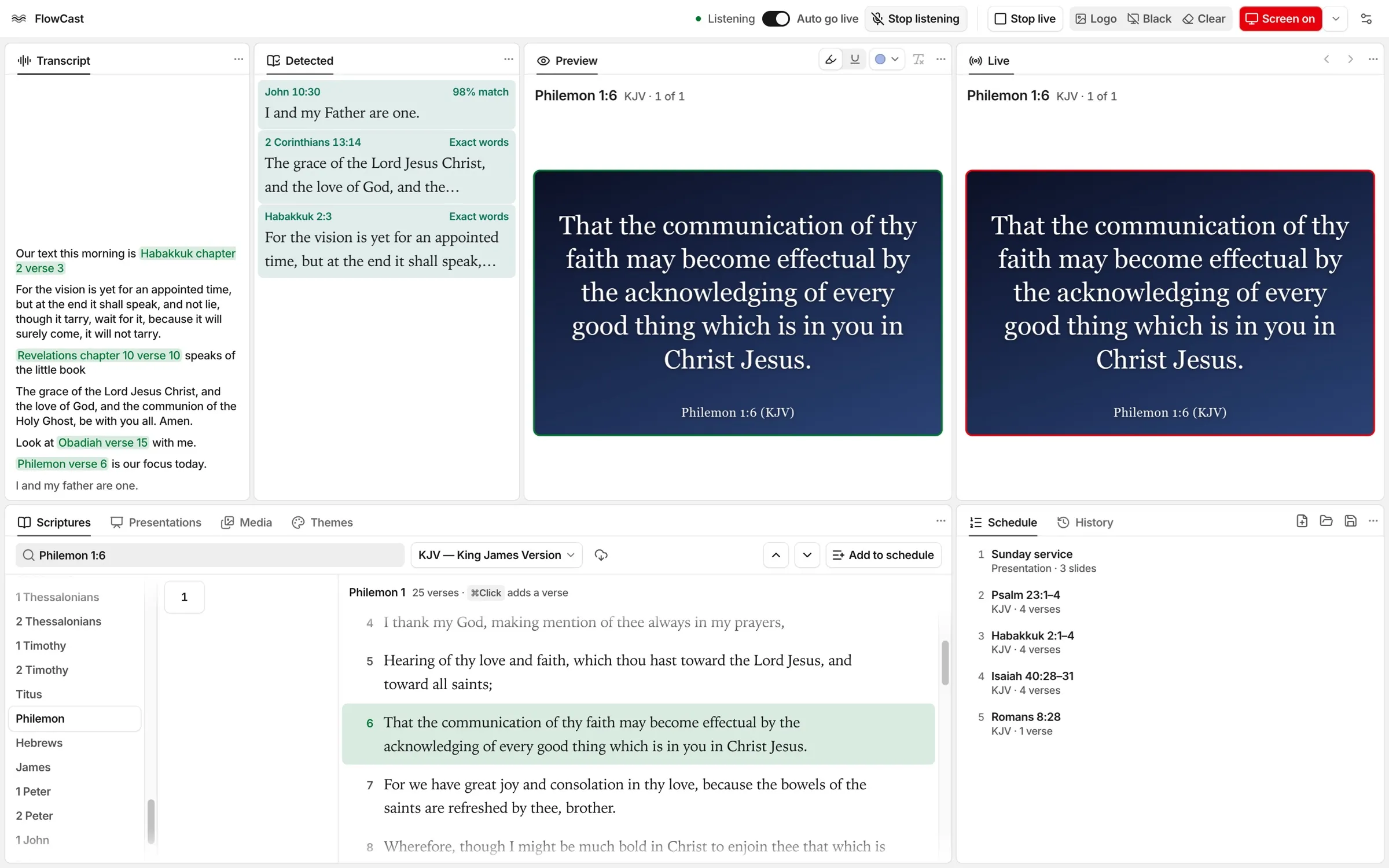
FlowCast 0.2.0 is the first public release. It operates on a Mac with Apple silicon and on Windows (x64). Windows on Arm also runs the x64 installer.
Listen to the sermon
- FlowCast listens to the preacher through the microphone.
- When the preacher says a reference, such as “Habakkuk chapter 2 verse 3”, the verse goes live less than one second later.
- The speech recognition and the verse search operate on the computer.
- The preacher can say “next verse”, “go back”, or “switch to NIV” to control the verses on the screen.
- The Detected panel shows passages that match the meaning of the recent speech. This search is off at first. You can turn it on in Settings › Transcript › Detect passages.
Find and show verses
- You can search the Bible by a reference, a list of references, words, or an idea.
- FlowCast includes 30 English Bible versions, and they operate without an internet connection.
- You can download more English versions from eBible.org in Settings › Bible versions.
- You can highlight or underline words on the preview before they go live.
- The Logo, Black, and Clear buttons show the logo, a black screen, or only the background.
Plan the service
- The Schedule panel keeps the items for the service. You can save the schedule as a
.flowcastfile. - The History panel shows each passage that went live, with the newest passage at the top.
- The Media panel keeps the pictures and videos for the service.
- The theme builder sets the background, the fonts, and the areas of the verse and the reference.
- You can make a new theme from a picture or a video in the Media panel.
Screen, layout, and updates
- FlowCast can show the audience screen on a web page. You can share this browser tab in Google Meet or Zoom.
- The layout follows EasyWorship. You can move, float, and hide each panel.
- Check for Updates… in the FlowCast menu (Mac) or the Help menu (Windows) finds newer versions of FlowCast.
Download
The files of FlowCast 0.2.0 are on the 0.2.0 release page. To get the newest version, go to the latest release.