FlowCast 0.4.0 finds the correct verse more frequently
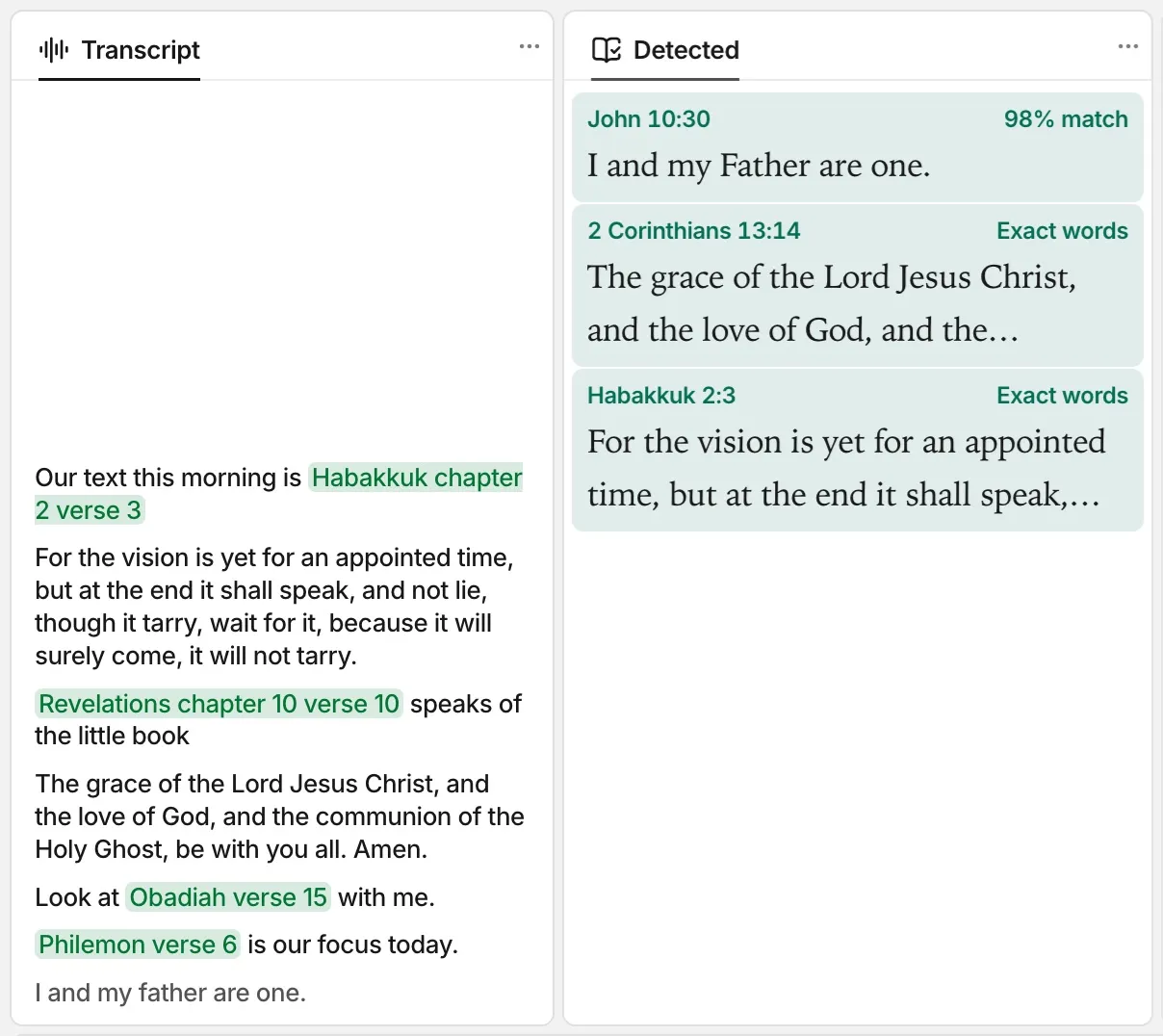
Search by meaning and passage detection are more accurate. This release also adds an About section in Settings and corrects voice commands, highlights, and the top bar.
New
- Settings has an About section. It shows the version of FlowCast and a Check for Updates… button.
- You can select many themes or presentations, then delete them at one time. Drag a box around the cards, or Shift-click or ⌘-click (Ctrl-click on Windows) them. Push ⌘A (Ctrl+A) to select all.
- Search by meaning finds the correct verse more frequently. FlowCast also detects quoted verses more accurately when it listens.
- On the audience screen, the pointer shows when you move the mouse. It goes off the screen after 3 seconds without a movement.
Usage data
FlowCast collects usage data to make speech recognition and passage detection better. The usage data contains the transcript and the audio from each time that FlowCast listens. FlowCast uploads the usage data to the FlowCast team. The collection and the upload are on at first.
To stop the collection, click File › Collect Usage Data.
To keep the usage data on your computer, open Settings, click Usage data, then turn off Upload usage data.
Fixed
- “Next verse” and “previous verse” move from the live verse, also when a different passage is in the preview.
- When you name a version, such as “the Amplified Version” or “NLT”, the live verses change to that version.
- When Clear, Black, or Logo covers the screen, the top bar shows Go live, not Stop live.
- Highlights cover only the letters, and they have the same height on each line and in each font. Highlights and underlines use the exact color that you select.
- FlowCast hears “Act 11:2” as Acts 11:2.
- On Windows, search by meaning gives the same results as on a Mac.
Download
The files of FlowCast 0.4.0 are on the 0.4.0 release page. To get the newest version, go to the latest release.
If you have FlowCast 0.2.0 or later, click Check for Updates… in the FlowCast menu (Mac) or the Help menu (Windows).