FlowCast 0.5.5 shows the lyrics of worship songs
The new Songs panel shows lyrics on the audience screen and finds them online. This release also shows the slides of each presentation in the panel, adds a light appearance, and corrects verses that went live from usual speech.
New
- The new Songs panel, next to Scriptures, shows the lyrics of worship songs on the audience screen. Song slides use the theme of scripture.
- Find lyrics online finds a song by its title, its artist, or a line of its words.
- When FlowCast makes slides from new lyrics, each slide has a maximum of three lines. You can change the words in a slide, divide a slide, and move a line to a different slide.
- The Presentations panel shows the slides of each presentation under its name. Click a slide to show it in the preview. Double-click a slide to send it live.
- You can select many presentations, then delete them or add them to the schedule in one operation. Each presentation has a delete button next to its name.
- Settings › Appearance sets the control window to Dark, Light, or Match the computer.
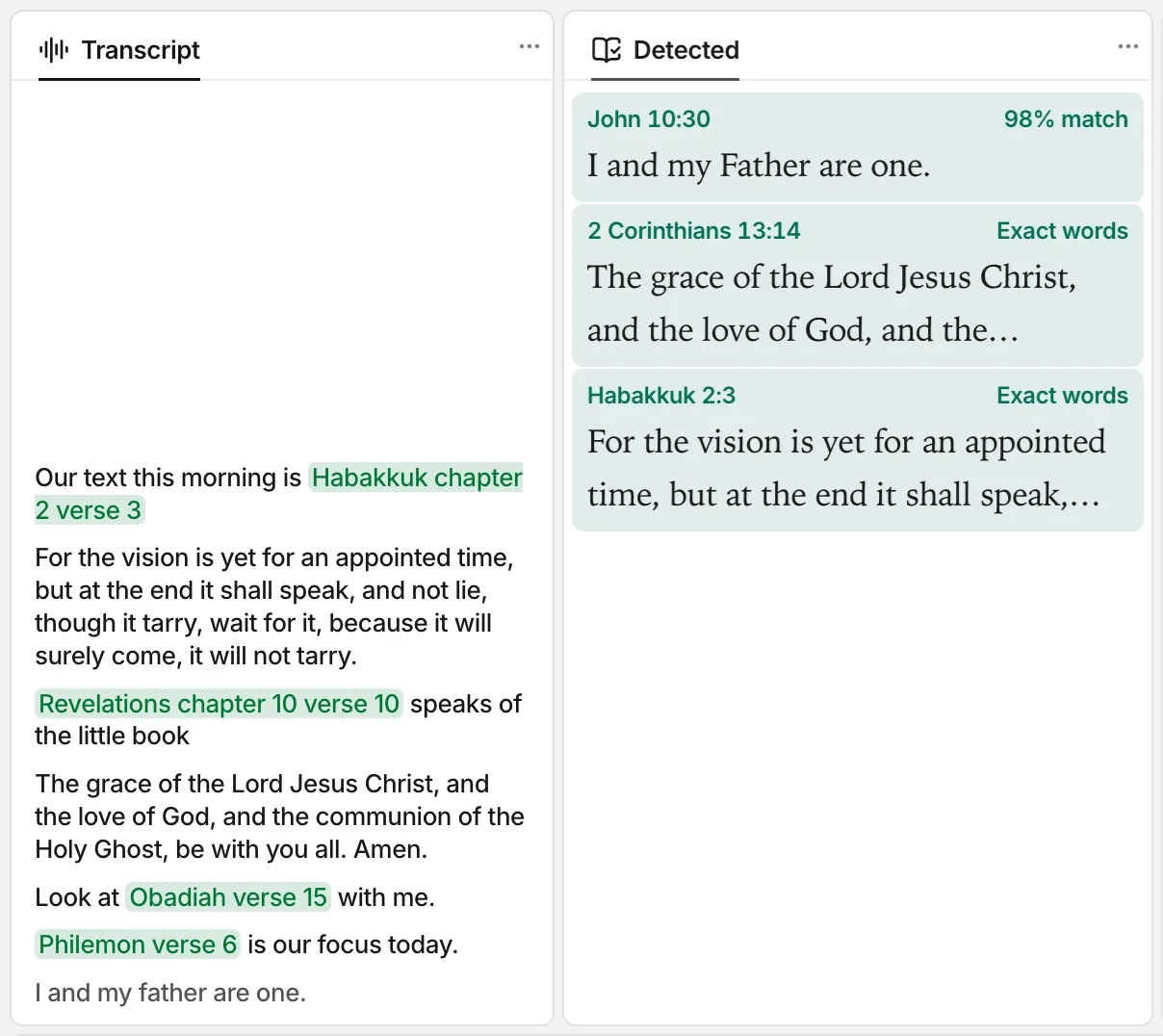
- Select words in the Transcript. Then click Search selected text to find verses with those words.
- When the preacher speaks only the number of the next verse, FlowCast shows that verse. The word “verse” is not necessary.
- You can change the color of a highlight, and the highlight stays.
- FlowCast downloads the speech model when it starts for the first time. If the download stops, FlowCast continues it.
- The Transcript panel shows a message when the microphone gives no sound.
Changed
- The Detected panel shows only clear matches. To show the other matches, select Show possible passages in Settings › Transcript.
- The Preview and Live monitors do not show a row of small slides. To send a different slide live, double-click it in the Presentations or Songs panel.
Fixed
- When the preacher speaks “John chapter 14”, then “verse 16”, the screen shows John 14:16. Before this release, the screen showed John 14:1 first.
- Usual speech, such as “since 2014” or “March 29”, causes a verse to go live less frequently.
- Usual speech with the word “change” does not change the Bible version.
- A verse in the Detected panel stays in its position. Before this release, FlowCast removed a verse while you moved the pointer to it.
- If the listener stops because of an error, FlowCast starts it again.
- Slides show an included font, such as Playfair Display, when a theme gives its name.
Download
To get the newest version of FlowCast, go to the download page.
If you have FlowCast 0.2.0 or later on Windows, click Check for Updates… in the Help menu. If you have FlowCast 0.4.1 on a Mac, click Check for Updates… in the FlowCast menu.